[linux] You changed the timezone, but the DB and containers did not
timedatectl changes the OS timezone. Your database and your containers keep the old one. How NOW() came back nine hours apart inside one cluster, and why nothing short of a restart fixes it.
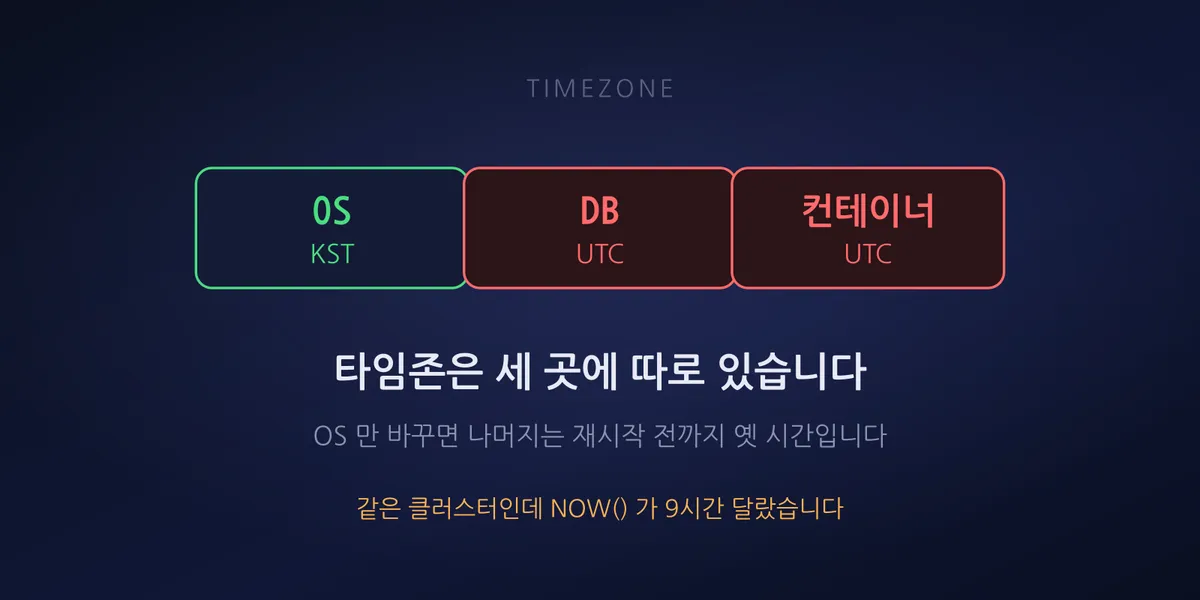
We audited timezones across roughly 60 servers and found 21 still on UTC. Log timestamps were nine hours apart depending on the host, so every incident investigation involved doing timezone math in our heads.
We ran timedatectl set-timezone Asia/Seoul. date came back in Korean time everywhere. We thought
that was the end of it.
Same cluster, NOW() nine hours apart
A few days later, while looking at something else on the database side, we noticed the nodes of a three-node cluster disagreeing about the time.
Node A   NOW()  18:44:xx      system_time_zone = KST
Node B   NOW()  09:44:xx      system_time_zone = UTC
Node C   NOW()  09:44:xx      system_time_zone = UTC
All three had Asia/Seoul at the OS level. Only the database was still on the old value.
MariaDB reads the OS timezone at startup and caches it in system_time_zone. After that it
never re-reads it, no matter what changes underneath. Node A was on KST only because its database
happened to have been restarted after the timezone change.
Containers have the same problem. A Docker container does not follow the host’s /etc/localtime;
it uses whatever is baked into the image. Most base images are UTC. You can change the host all
you like and the inside of the container will not move.
So a timezone exists independently at three layers.
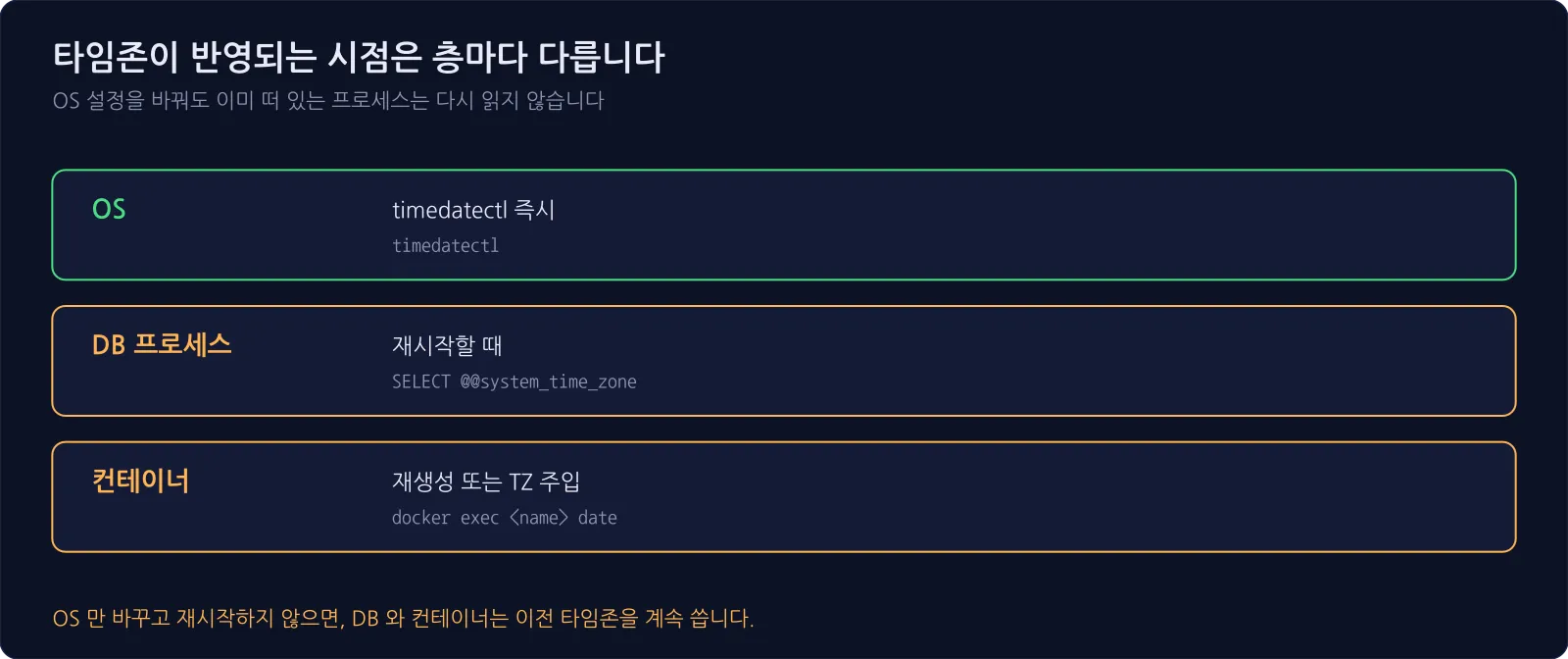
Checking each layer:
timedatectl                                   # OS
mysql -e "SELECT @@system_time_zone"          # database process
docker exec <name> date                       # container
If you look at date and move on, you will never look at the other two.
Restart, or wait it out
There is a real choice here.
Changing only the OS and letting the next scheduled restart pick it up is a legitimate option. It requires no downtime, and machines get rebooted eventually anyway. The cost is that database logs and application logs stay out of sync until then.
We chose to restart the databases in a rolling fashion, since a cluster keeps serving while one node is down.
We checked cluster health before touching anything.
All 3 nodes  Synced / Primary
Identical cluster_state_uuid
Matching last_committed values
Identical commit positions mean replication is not lagging. Without that, taking one node down can destabilize the rest.
Then we restarted one node at a time. Never simultaneously — losing quorum stops the whole cluster.
1. Restart node B  ->  back to Synced in 10s, cluster_size=3
2. Cross-check from another node (all three listed, Primary retained)
3. Restart node C  ->  same, 10s
The dataset was small enough to catch up incrementally rather than requiring a full state transfer.
After the restarts all three reported KST for system_time_zone, and NOW() agreed to within a
second.
Some servers had the wrong time, not just the wrong zone
While we were in there we measured clock offset and found six servers drifting. The worst was 105 seconds.
The cause was almost always the same: servers with no outbound internet access. The default NTP
server is an external address like ntp.ubuntu.com, and a host that cannot reach the internet will
fail to sync forever. That failure makes no noise at all.
Pointing them at an internal NTP server fixed it.
# nodes running chrony
server <internal-ntp> iburst prefer      # top of chrony.conf
chronyc makestep                         # correct immediately

# nodes running systemd-timesyncd
# /etc/systemd/timesyncd.conf.d/10-internal-ntp.conf
[Time]
NTP=<internal-ntp>
All six came back within 0–1 second. An internal NTP server is not only for air-gapped networks — you need one as soon as a single host has restricted outbound access.
We turned it into a monitoring check
This is not a fix-once problem. Newly built servers may default to UTC, and a database re-reads the OS setting every time it restarts.
So we added it to the daily checks.
| Check | Severity |
|---|---|
Timezone is not Asia/Seoul |
CRITICAL |
| Clock offset over 10s | WARNING |
| Clock offset over 60s | CRITICAL |
| DB timezone mismatch between cluster nodes | CRITICAL |
| OS is KST but the DB is not | WARNING (restart needed) |
The last two catch exactly the situation described above. You cannot detect that state without checking the OS and the database separately.
We nearly missed two things
When you sweep every host in parallel, some are slow and time out. We had bucketed those as “connection failed” and moved on. Reconnecting to them individually later, they were perfectly healthy servers — and still on UTC. They came close to being dropped from the remediation list.
A failed probe is not the same as “not applicable.” Every failure needs an individual retry.
The second one was quieter. One server was missing from the SSH config file, and because the audit script built its host list from that file, it never entered the scope at all. It does not even appear as a failure in the report. It simply does not exist.
Omissions like that stay invisible unless you cross-check your inventory against the list the audit actually ran on.
Summary
timedatectlchanges the OS and nothing else. The database and containers each read their own copy at their own moment- The database needs a restart. In a cluster, verify health first and go one node at a time
- Containers need to be recreated or given a
TZenvironment variable - A host with no outbound access will fail public NTP forever. It fails silently, so you have to measure the offset yourself
A server with the wrong clock causes no trouble day to day. It causes trouble when an incident hits and you line up logs from several machines to work out what happened first. By then it is too late.