Fixing ssh "Connection timed out during banner exchange"
If your iptables whitelist only inspects ctstate NEW, the handshake never completes. A port scan still reports the port open, which is why the cause of a failing backup went unfound for a month.
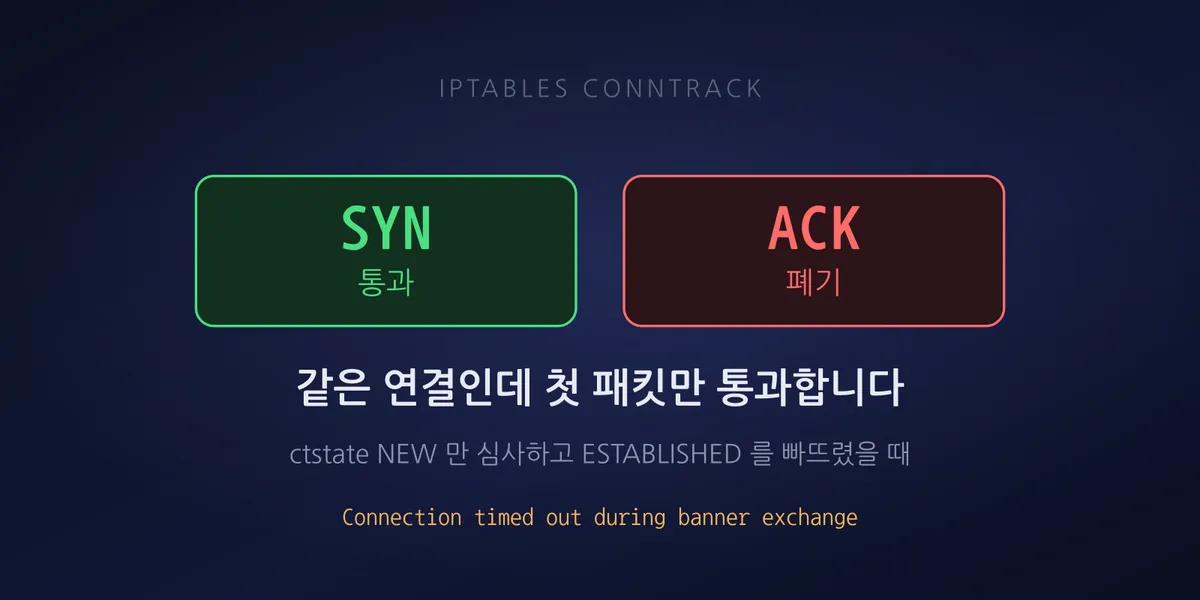
A backup job had been failing for a month. The log showed this for every path:
Backup path /docker/app/config failed. (operation timed out)
Backup path /docker/app/data   failed. (operation timed out)
Backup path /docker/app/ssl    failed. (operation timed out)
We first suspected volume or disk throughput. The backup target was 186GB, so a write bottleneck on the storage side seemed plausible.
Re-reading the log killed that hypothesis. The config path is 118KB and ssl is 43KB, and they
timed out after ten minutes too. Moving 118KB cannot take ten minutes. The transfer was not slow —
the connection was never being established.
The port was open
The backup ran rsync over SSH, so we checked the SSH port. This is where we got misled again.
A TCP connection test succeeded. A port scan reported open. The firewall looked fine.
But an actual SSH attempt ended like this:
Connection timed out during banner exchangeWith SSH, once TCP connects the server sends its version banner first. Connecting but never receiving the banner means the TCP handshake started, but packets after it are not getting through.
What tcpdump showed
Capturing on the bridge interface made it clear. A failing external connection:
extIP.54640 > server.22: Flags [S]        SYN
server.22 > extIP.54640: Flags [S.]       SYN-ACK
extIP.54640 > server.22: Flags [.] ack 1  ACK (it did arrive)
extIP        ... SSH-2.0-OpenSSH_9.6p1    client banner sent
server.22 > extIP: Flags [S.]  retransmitted x4
A connection from the internal range at the same moment:
intIP.40928 > server.22: [S] -> [S.] -> ack
server.22 > intIP.40928: SSH-2.0-OpenSSH_8.9p1   banner immediately
The last line is the key. The server retransmitted SYN-ACK four times. The client had clearly sent its ACK and that packet reached the interface, yet the server’s kernel behaved as if it had not arrived and kept resending SYN-ACK.
If a packet reaches the interface but not the kernel socket, something in between is dropping it.
Cause: inspecting only NEW, never allowing ESTABLISHED
There were two firewall scripts, written at different times, with different assumptions.
# written first — internal-range-only policy
iptables -I INPUT -p tcp --dport 22 -j DROP                       # state-agnostic
iptables -I INPUT -p tcp --dport 22 -s 192.168.0.0/24 -j ACCEPT

# added later — external IP whitelist
iptables -I INPUT 1 -p tcp --dport 22 -m conntrack --ctstate NEW -j SSH-GUARD
Run together, the INPUT chain ends up like this:
| Order | Rule | Effect on a whitelisted external IP |
|---|---|---|
| 2 | dport 22 ctstate NEW -> SSH-GUARD |
inspects the SYN only, ACCEPTs |
| 4 | 192.168.0.0/24 dport 22 ACCEPT |
internal passes regardless of state |
| 5 | dport 22 DROP |
every subsequent ACK and data packet dies here |
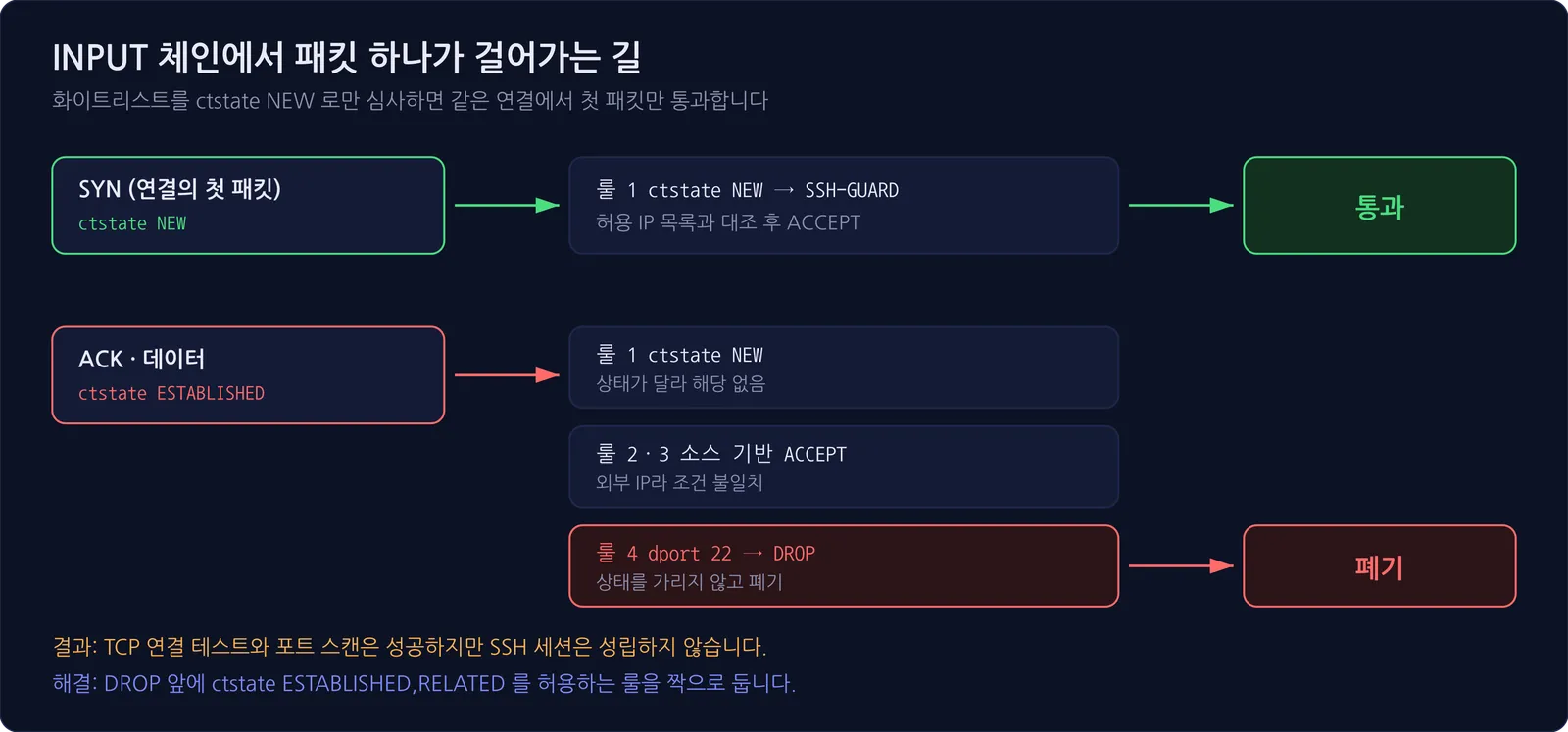
The whitelist matches ctstate NEW, meaning only the first packet of a connection, the SYN. The
SYN passes. The ACK and data that follow carry state ESTABLISHED, so they miss rule 2, do not match
rule 4’s source condition, and land on the DROP at rule 5.
Only the first packet of the connection got through; everything after it was discarded. That is why the TCP connection test succeeded while the SSH session never formed.
The counters were the decisive evidence
The packet counters from iptables -L -v -n make it obvious.
SSH-GUARD  (whitelisted ACCEPT)       1 pkts       60 bytes
INPUT #5   (dport 22 blanket DROP)    87,225 pkts  5,242 K
INPUT #4   (192.168.0.0/24 ACCEPT)    5,543 K pkts  342 M
The allow rule shows one packet, 60 bytes — the size of a single SYN. Meanwhile the DROP rule discarded 87,225 packets, and the internal-range rule below it passed 5.5 million.
When an allow rule’s counter is implausibly small, that rule is passing only part of the traffic. A healthy session should register hundreds of packets.
The fix was one line
We left the policy intact and inserted a rule ahead of the DROP that permits follow-up packets of sessions that already passed inspection.
iptables -I INPUT 5 -p tcp --dport 22 \
  -m conntrack --ctstate ESTABLISHED,RELATED -j ACCEPT
The resulting chain:
1 SSH-GUARD  dport 22 ctstate NEW
2 ACCEPT     lo dport 22
3 ACCEPT     192.168.0.0/24 dport 22
4 ACCEPT     dport 22 ctstate RELATED,ESTABLISHED     <- added
5 DROP       dport 22
This does not loosen the whitelist. ESTABLISHED only attaches to sessions that already cleared
the NEW inspection. An IP that fails inspection never forms a session, so there is nothing for
this rule to match.
Counters after applying:
INPUT (ESTABLISHED ACCEPT)  1,018 K pkts  59 M    the backup traffic that had been dropped
INPUT (DROP)                0 pkts               nothing discarded
The backup succeeded for the first time in a month.
Why it took a month
Asymmetry hid the problem.
The internal-range rule passed traffic regardless of state, so backups running inside the office succeeded normally. The backup feature itself appeared to work; only one external job was failing.
Add to that a port scan reporting open. Both observations — “the firewall is open” and “backups
work” — were true, so there was no obvious reason to suspect the firewall.
The picture only fit once we laid out the timeline.
| When | Event | External backup |
|---|---|---|
| Mid-July | sshd process died | failed (connection refused) |
| Late July | sshd restored + internal-only policy applied | failed (external fully blocked) |
| Early August | external IP whitelist added | failed (ESTABLISHED missing) |
| Mid-August | ESTABLISHED allow added | succeeded |
The symptom stayed identical for a month, but the cause changed three times. We intervened twice and both times concluded we had fixed it. In reality each fix merely exposed the next problem. That is what happens when you verify a change through something other than the real usage path.
Diagnostic checklist
The order to check when you see this:
Connection timed out during banner exchange— TCP worked, the application layer never started- Repeated SYN-ACK retransmits from the server — the client’s ACK is not reaching the kernel
- An allow rule counter in the tens of bytes — only the SYN is getting through. Looking directly at a metric this close to the cause is faster than watching outcome metrics. The same approach applied to monitoring is in pg_wal that will not shrink — start with replication slots
- Do not treat a port scan as evidence — a scan only checks whether a SYN gets a SYN-ACK. It
reports
openeven when everything after that is blocked
And one rule to remember: if you add a rule that inspects ctstate NEW, you must pair it with a
rule allowing ESTABLISHED,RELATED. State-based inspection sees only the first packet, so unless
you open a path for the rest, the session never forms.
A note on layering scripts
Behind this incident sat two firewall scripts, written at different times, inserting rules into the same chain without knowing each other’s assumptions.
The earlier one assumed “only internal needs access, so DROP everything else unconditionally.” The later one assumed “inspection only needs to happen at NEW.” Each is correct. Together they are wrong.
Past assumptions catching up with you is not unique to firewalls. Fixing CPU does not support x86-64-v2 was also a default set years ago colliding with a modern image.
If you manage firewall rules across multiple scripts, at minimum check two things. First, print the final chain and look at the ordering with your own eyes. Second, run the scripts twice in a row and confirm the result is identical (idempotence). We did exactly that after the fix, alternating both scripts to check for duplicate rules and ordering anomalies.